Add Participants
There are multiple options to add participants to your tournament, which we will describe in this chapter. But in any case you have to open the Participant Dialog, either by clicking the  in the toolbar or via menu Participants -> Add.
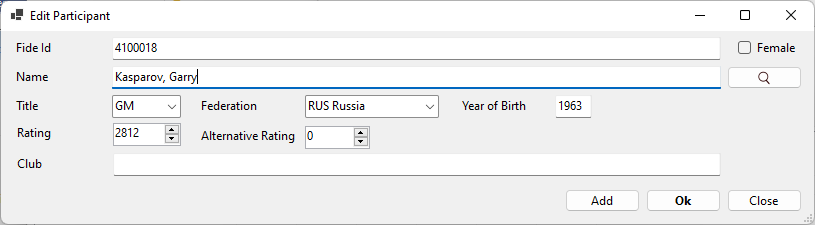
Add via Fide Id
If you know the Fide Id of the participant, simply enter it in the field Fide Id and all other fields will be automatically filled from Fide Database
Add via Name
If the player is a Fide registered player type the name into the Name input field. Once you entered 4 characters a lookup into Fide Database will be done and you will get Autocomplete help for the complete name.
Once you leave the Name input field the other fields will be automatically filled from Fide Database.
Add arbitrary Participant
If the participant is unknown to any Player database you can and have to fill all fields manually
Add from national Player Database
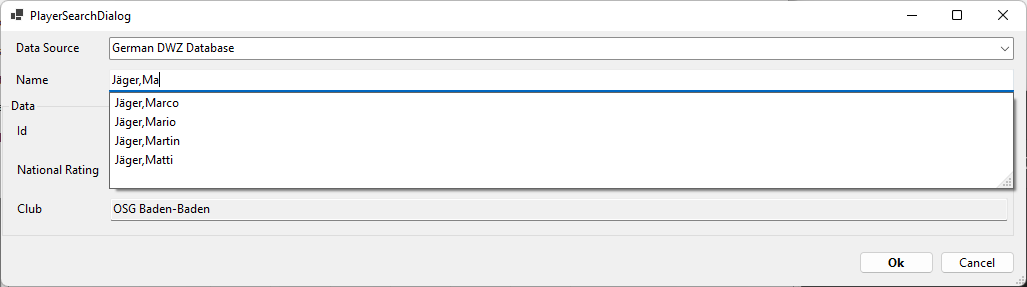
To add players from other (national) player databases, you have to press the button. This will open up the Participant Search Dialog. The Data Source allows to select one of several national databases. You can search it by typing into the Name input field. The autocomplete help will show up once you have entered 4 characters and after leaving the name input field the other fields get filled.
Created with the Personal Edition of HelpNDoc: Free help authoring tool